 ClefSnap
Scan sheet music with your phone
You do not need a flatbed scanner or a computer. Take a photo of the page, and ClefSnap reads it into a real score: notes you can hear and change, not just a picture.
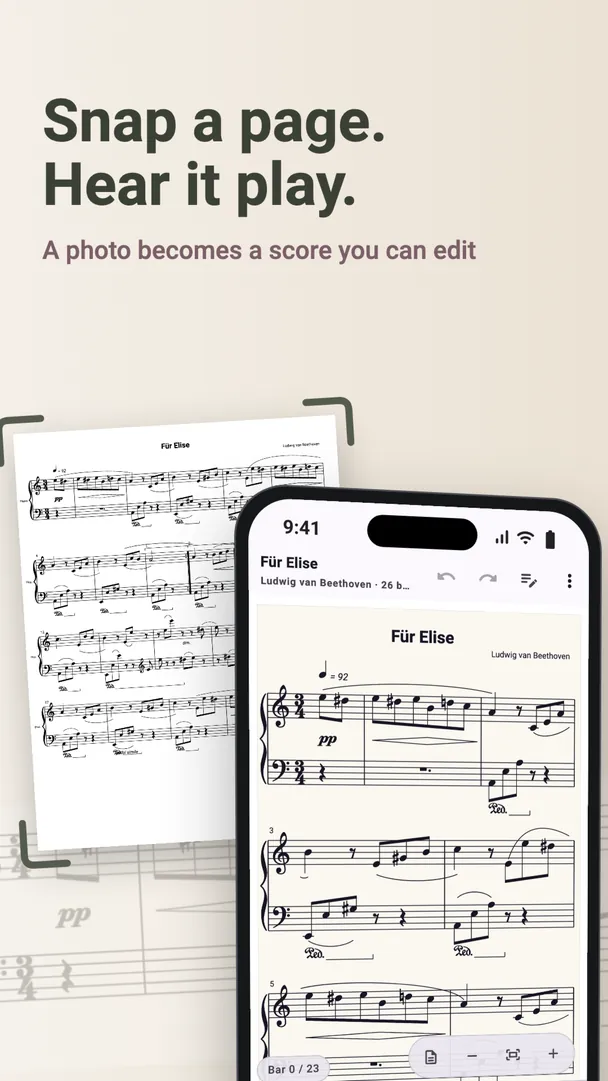
How to scan a page
- Open ClefSnap and choose Take a photo, Choose photos or scans, or Import a PDF.
- Hold the phone straight above the page, in even light, and take the picture.
- Add more pages if the piece runs on. Long scans can finish in the background on Android while you use other apps.
- Answer the questions about any bars ClefSnap is unsure of. It shows you the printed bar and asks about one at a time.
- The score opens, ready to play and edit.
For better results, read how to photograph sheet music.
What a scanner app can read
ClefSnap reads printed music on five-line staves, from one line of melody to a piece for several instruments:
- Piano music, choir and songs, solo instruments, chamber music and band parts
- Notes, rests, chords, keys and time signatures
- Titles, lyrics, chord symbols and tempo marks
It does not read handwritten music, or percussion and drum kits. No reader gets every bar right, so it is worth comparing a scan with the page, especially the bars it marks for review.
Why it matters that the scan stays on your phone
Many sheet music scanners send your pages to a server. ClefSnap reads them on the phone itself, so it works with no signal and your pages are not sent to us. You do not need to create an account first, either.
What you can do with a scanned score
- Listen to it at any speed and practise one part
- Transpose it to another key
- Fix or change notes, chords, ties, dynamics and lyrics
- Harmonize a melody or add a piano accompaniment
- Export it as MIDI, MusicXML, PDF or audio
Long scans and export are part of ClefSnap Premium. Scan what you own or have the right to copy.