 ClefSnap
Perform from your phone or tablet
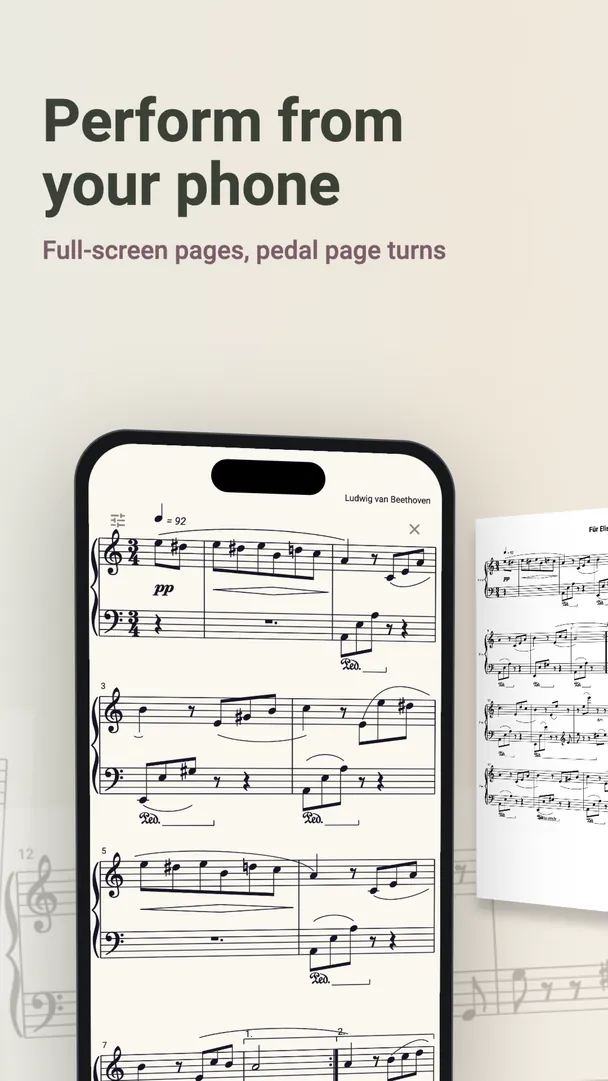
Leave the folder at home. ClefSnap's stage mode gives you your scores full screen, while your hands stay on the instrument.
Get it on Google PlayComing to iPhone and iPad.
Stage mode
- Full-screen pages with nothing else in the way.
- Tap to turn. Tap the right side to go on, and the left side to go back.
- Half-page turns show the top of the next page while you finish the bottom of this one, so you can read ahead.
- Bluetooth page-turn pedals keep your hands on the instrument. The app learns your pedal's keys.
Setlists for rehearsals and concerts
Put the evening's pieces in order and move from one to the next without hunting through your library. Every score you have scanned, written or opened from the library can go into a setlist.
Bring your paper scores with you
If your repertoire is on paper, scan it first. A scanned score is also easy to transpose if a singer asks for another key just before you go on.
A tip for the stage
Run through the whole set at home first, turning pages as you would in the concert. Charge your device, and turn on Do Not Disturb, so nothing interrupts you mid-piece.
Page-turn pedals, half-page turns and setlists are part of ClefSnap Premium.